


Technical Identity Mismatch Spotted in High-Fidelity PayPal Billing Lures
A sophisticated PayPal impersonation campaign using "Account Locked" alerts to harvest credentials via the damrinet.com infrastructure.
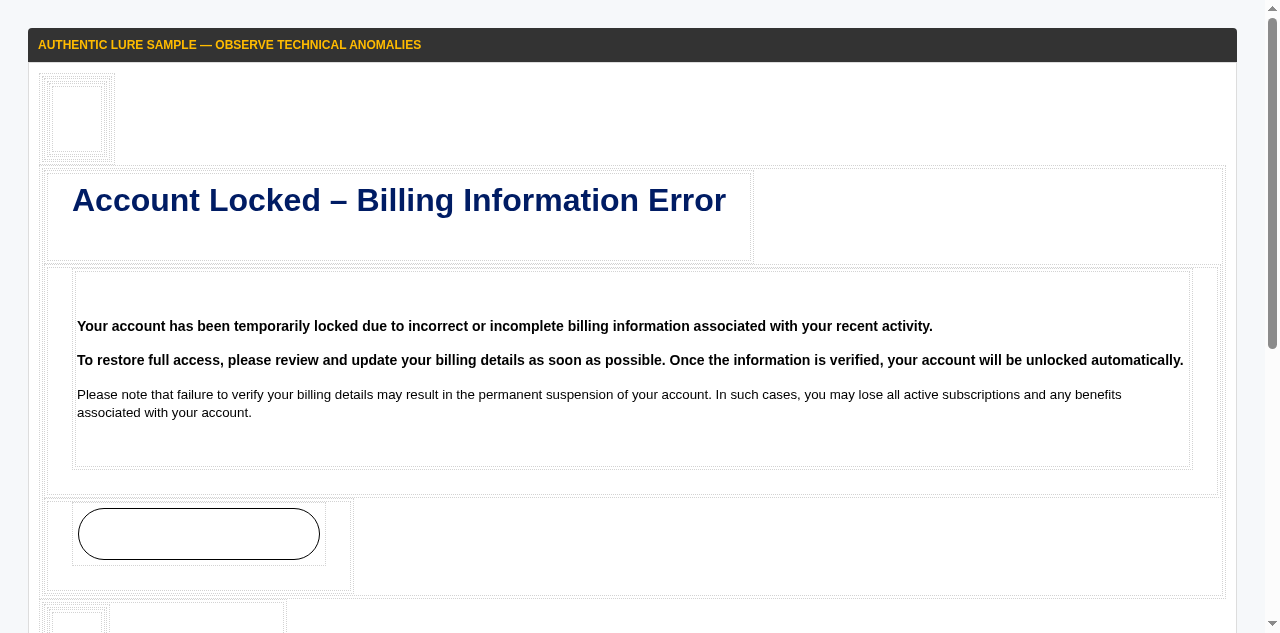
A high-fidelity phishing campaign impersonating PayPal has been identified targeting New Zealand organisations, originating from the domain damrinet.com. The emails utilize a sophisticated "Account Locked" lure, claiming a billing information error requires immediate attention to restore service access. This "identity-theft-as-a-service" strategy relies on professional-grade HTML templates that are visually indistinguishable from genuine PayPal correspondence, intended to bypass initial skepticism and drive cognitive closure under pressure.
The social engineering technique used in this campaign is designed to trigger a routine security-verification response. By framing the lure as an "Account Locked" notification, threat actors create a false sense of urgency around account access and service continuity. This familiarity is weaponized to drive traffic to a fraudulent landing page where both PayPal login credentials and sensitive financial data are harvested under the guise of an automated verification process.
Technical analysis reveals a critical identity mismatch between the declared brand and the sending infrastructure. While the emails are visually branded as PayPal, the messages originate from the domain damrinet.com — a private infrastructure with no legitimate association with PayPal or its global subsidiaries. This anomaly is the primary technical indicator of malicious intent, as genuine security or billing alerts from PayPal will only originate from verified @paypal.com or @mail.paypal.com domains.
Organisations are advised to maintain a clinical skepticism toward billing alerts that arrive from anomalous domains. Staff should be instructed to ignore links in unsolicited "Account Locked" emails and instead verify account status directly by navigating to paypal.com independently. Suspicious messages should be reported to Internal IT and forwarded to CERT NZ to contribute to national threat intelligence and aid in the blocking of malicious infrastructure.
The domain the message claims to be from. Fresh registrations and known-bad reputations are the strongest technical tells of a spoofed sender.
Practical steps you or your IT provider can take to reduce the risk from this kind of threat.
• Audit the Sender. Verify the sender domain (damrinet.com). Official PayPal alerts will only come from @paypal.com addresses.\n• Use Your Bookmarks. Never click billing links in emails. Log in directly via the official PayPal app or website to manage your account.\n• Identify Mismatches. Train staff to look for the mismatch between the professional PayPal branding and the unrelated private sender domain.\n• Report Phishing. Forward any suspicious alerts to your security team or report them to CERT NZ (report@phishing.cert.govt.nz).

See what a genuine PayPal message looks like, the real sender domain, the real link destination, and where to report a fake.
The Local Vocal is published by Decision1 IT Solutions. If one of these landed in your inbox, or someone in the team clicked, give us a call.