


Fake Microsoft and Google security alerts want to steal your business login credentials
Coordinated phishing attacks are using fake account security alerts to steal business login credentials.
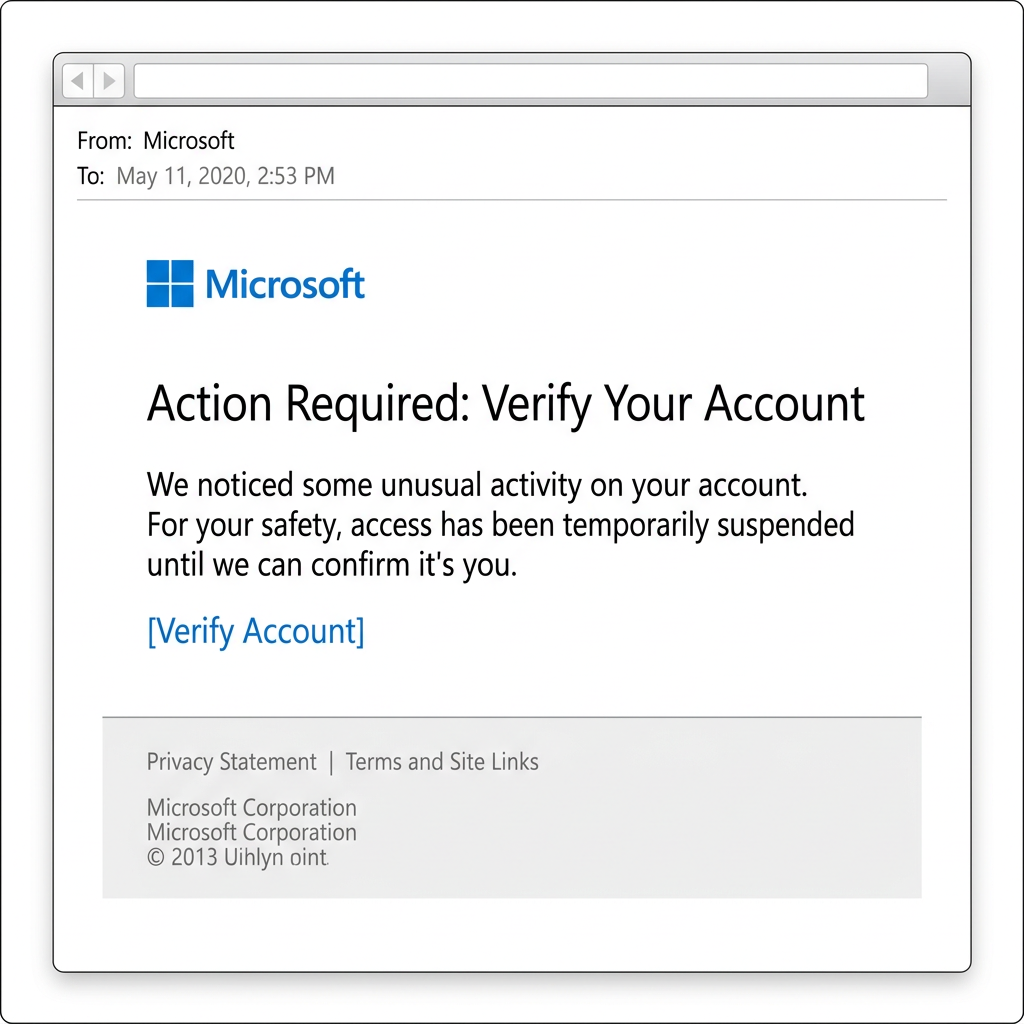
This phishing campaign uses fake security alerts to trick you into providing your Microsoft or Google business login details. Scammers are sending high volumes of emails with subject lines like "Action Required: Verify Your Account" to create a false sense of security while you are working.
This activity was flagged because of its high frequency across multiple local organisations and its ability to bypass some multi-factor authentication (MFA) methods via session token theft. The speed at which it has been deployed across different organisations indicates a highly coordinated attack.
Technical details show a major contradiction: while the emails pass all standard security checks like SPF and DMARC, the sender domain is only 14 days old. Legitimate notifications from global tech providers never originate from brand-new, unrelated business domains like modandtone.com.
The lure is surprisingly realistic, using official branding and perfectly formatted buttons that lead to convincing replicas of the Microsoft 365 and Google sign-in portals. The images and layout are high-fidelity, designed to make the verification request look like a standard part of your IT routine.
The domain the message claims to be from. Fresh registrations and known-bad reputations are the strongest technical tells of a spoofed sender.
Practical steps you or your IT provider can take to reduce the risk from this kind of threat.
- Check Sender Identity: Official alerts will always come from verified Microsoft or Google addresses, not unrelated third-party domains.
- Use Bookmarks: Never use links in security emails to access your account; use your known bookmarks or type the provider URL directly.
- Verify Independently: If you receive a warning, log in to your admin portal separately to check for any real notifications.
- Enable Hardware MFA: Consider using FIDO2 hardware keys which are immune to the session theft tactics used in this campaign.

See what a genuine Microsoft message looks like, the real sender domain, the real link destination, and where to report a fake.